Karaoke Builder
Create your own Karaoke
CD+G / MP3+G / AVI Video / Video CD / DVD
Home PageDownloadsPurchaseInformation
Karaoke Builder Studio 3.0  |  Karaoke Builder 2.0  |  CD+G Player |  Compatible CD+G Burners
Karaoke Builder Studio 3.0
Box shot is for illustration purposes only - we send out unlocking information by email when you purchase our products

Download Latest Version

Sample CD+G Karaoke Track Karaoke Builder Studio 3.0
The new gold standard for Karaoke CD+G

Karaoke Builder proudly announces the next evolution of karaoke - Karaoke Builder Studio 3.0! All the features you could ever want from CD+G karaoke software, and some that you'd never believe possible! Prepare to be dazzled!

Karaoke Builder Studio is available now, and there is no other software which will give you the ability to make such professional quality CD+G tracks. And what's more, we've made it EASY!

The first professional-quality CD+G software available at an affordable price
Easy to use for the first-timer, but loaded with features to keep you happy!
The only CD+G software to let you create karaoke tracks as good as or better than the discs you sing along with at your karaoke events!
Tracks created with Karaoke Builder Studio will play in any karaoke CD+G machine
Karaoke hosts can create their own tracks
Singers can bring along their own songs
Professionals can (and are) using Karaoke Builder Studio to master their own commercial-quality CD+G discs

Stop Press!
Full support for Nero is now standard, using our Cue File Builder.
Additional support for CD burners which were previously incompatible with CD+G tracks - you may not need to buy new hardware just to burn a CD+G disc!
Now with AVI Video features
Add a photo-quality background to your CD+G tracks
Create karaoke videos for writing to Video CD and DVD discs


Karaoke Builder 2.0.03
Create spectacular slideshows to play on CD+G machines

Display your own images on CD+G machines
Build amazing picture Slide Shows
Choose from a wide range of special effects
Make changes to any CD+G track!
Add images (even photos) to existing tracks
Change the built-in colours of any track
Totally customise your Karaoke CD+G collection
Add audio to create your own custom show discs
Make your karaoke show something spectacular!


Karaoke Builder Main Screen


Karaoke Builder CD+G Player
Full Screen CD+G Player - FREE!

Play CD+G (.cdg and .bin files)
Play MP3+G (a pair of files - .mp3 + .cdg)
Play/pause/stop
Quick play (fast forward)
Jump 10 or 60 seconds forward
Jump 10 or 60 seconds back (no other CD+G player has a rewind function!)
Plays in full screen mode
Plays in 1x, 2x and 3x windows
Totally resizable 'stretchy' window
All CD+G functions supported, including colour fading and scrolling.
Copy still images from your CD+G tracks
NEW: Double-click on a track in Windows Explorer to play it immediately

Power CD+G Burner
For burning your CD+G tracks onto CD, we now recommend that you use Power CD+G Burner from Power Karaoke. It's simply the easiest and best solution, compatible with more CD burners and compatible with all files created by Karaoke Builder Studio. Karaoke Builder Studio plus Power CD+G Burner are together the tools of choice for Karaoke CD+G creation.


Got a Question?
Check our FAQ (Frequently Asked Questions) page - we may already have the answer for you.


Compatible CD+G Burners
Our Compatible CD+G Burners section will help you find out if your CD burner is able to burn CD+G discs. If not, there is information to help you choose a new, compatible burner.


Latest News
CD+G Player Update
The CD+G Player has been updated so that when you double-click on a track in Windows Explorer, that track will play in the current window - any track already playing will be replaced.

Cue File / Nero Support
With our new Cue File Builder, integrated into Karaoke Builder Studio, you can now use ANY burning software which supports bin/cue files. Most people have Nero, and it's now fully supported.

Interleaving gives much greater CD+G Burner compatibility
Now most drives can burn CD+G discs, using our new Interleaving process. If your drive could not previously burn CD+G discs successfully, use Karaoke Builder Studio to make your tracks compatible.

Preview Window
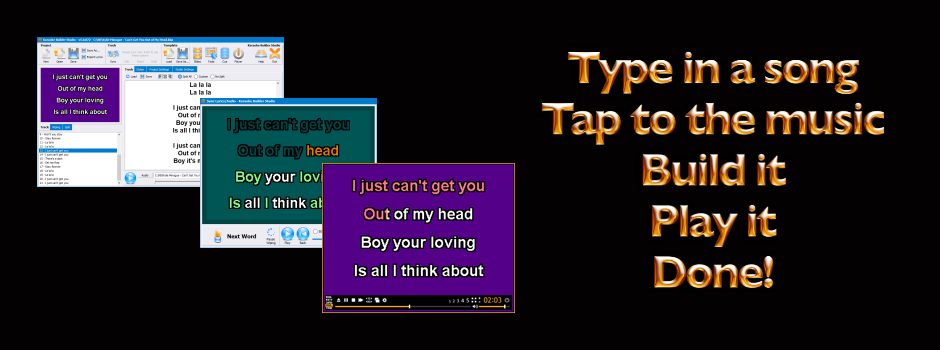
A Preview Window is now available on the Edit screen of Karaoke Builder Studio. Now you can see exactly what your finished track will look like while you edit it (WYSIWYG - what you see is what you get), and preview the track before you build it. This is a great feature and will save you time because now you can instantly see what effect your changes will have.

Moving Video Background
A tutorial in the Karaoke Builder Studio help file explains in detail how to superimpose your karaoke lyrics onto a moving video background using any of these video editors:

  • Adobe Premiere
  • DeskShare Video Edit Magic
  • Ulead MediaStudio Pro
  • See the Tutorials section in the Karaoke Builder Studio help file.


    Product Versions
    Karaoke Builder Studio
    Version 3.0.145 (1 June 2009)

    Karaoke Builder
    Version 2.0.03 (1 June 2009)

    CD+G Player
    Version 2.2.29 (1 June 2009)


    Awards and Reviews
    5 out of 5 at Softpedia
    4 Gold Disks at Global Shareware
    Editor's Pick at Software Seeker
    5 Stars at File Hungry
    Four cows at Tucows
    5 Stars at The File Transit
    5 out of 5 at SoftNews